
Privacy, Security, and the Future of Payments: A Small Business Guide to Biometric Checkout
- pete2728
- Dec 19, 2025
- 5 min read
Biometric checkout is no longer science fiction: it's happening right now in stores across America. From fingerprint scanners at coffee shops to facial recognition at grocery stores, this technology is quietly revolutionizing how customers pay. But as a small business owner, you're probably wondering: Is this safe? Where does my customers' data go? And do I actually need this?
Let's cut through the hype and get you the real facts about biometric payments, privacy protection, and what this means for your business.
What Exactly Is Biometric Checkout?
Instead of swiping cards or entering PINs, customers use their unique biological features: fingerprints, faces, palm prints, or even voice patterns: to verify their identity and complete payments. Think of it as your body becoming your wallet.
The process is surprisingly straightforward. Customers first enroll by scanning their chosen biometric (like a fingerprint) and linking it to their payment method. When they return to shop, they simply place their finger on a scanner or look at a camera, the system matches their biometric to their stored profile, and the payment processes automatically.
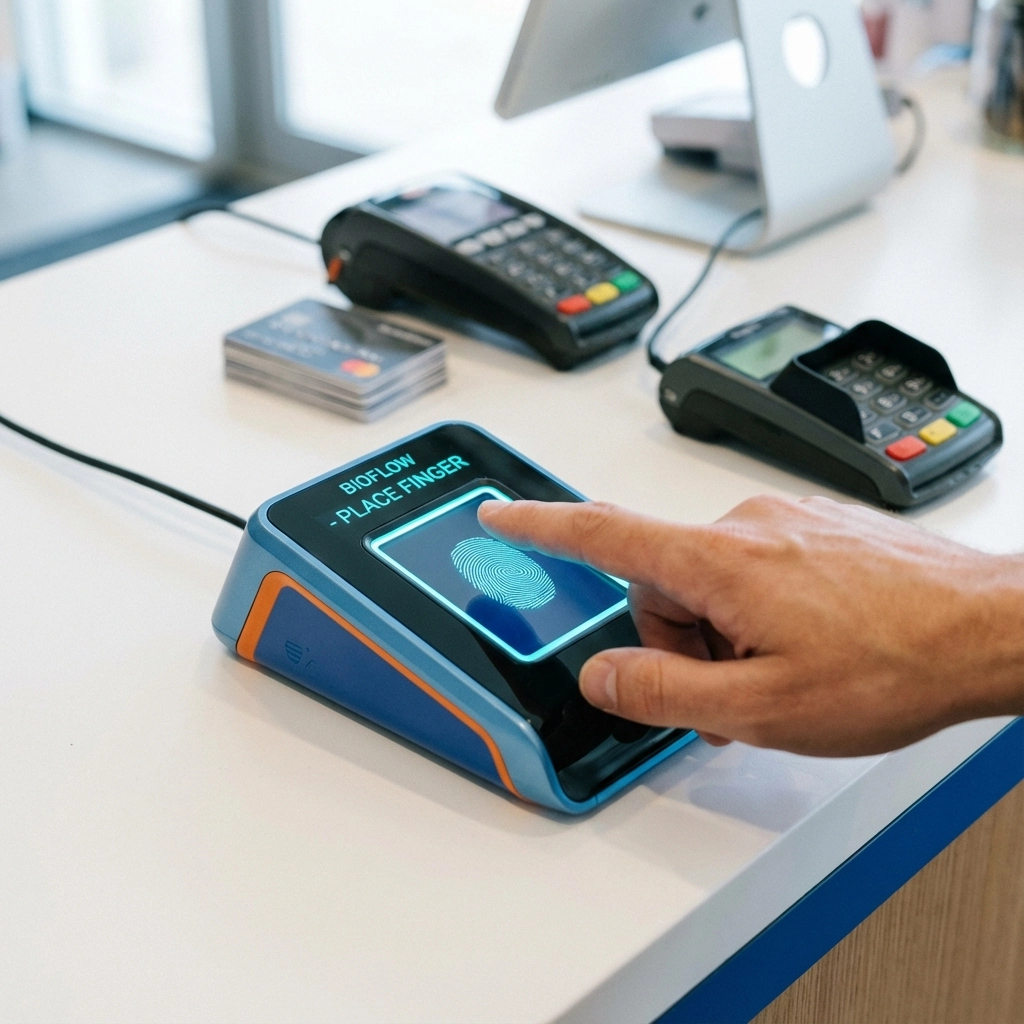
What makes this different from traditional payments is speed and security. No more fumbling for cards, no more forgetting PINs, and significantly harder for fraudsters to replicate your unique biological features.
Where Does Customer Data Actually Go?
This is the big question every business owner asks: and rightfully so. Here's what actually happens to your customers' biometric data:
The system doesn't store actual fingerprints or photos. Instead, it creates an encrypted "template": essentially a mathematical representation of the unique features. It's like storing a recipe instead of the actual cake.
Storage happens in one of three ways: locally on the device itself, on secure company servers with bank-level encryption, or using decentralized systems where data is spread across multiple secure locations. Local storage is often the safest option since there's no central database that could be targeted by hackers.
Your customers control their data. Under regulations like GDPR and California's CCPA, customers have the right to see what data you have about them and request deletion. Most biometric systems include built-in tools to handle these requests automatically.
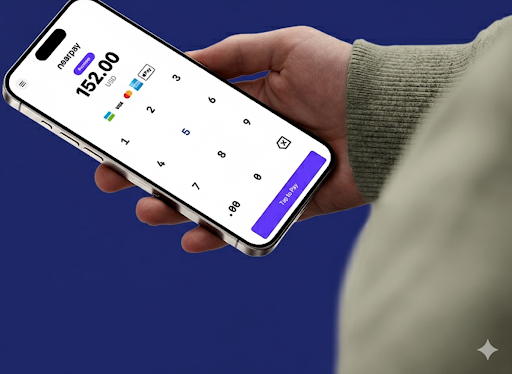
The key point: legitimate biometric systems are designed with privacy as a foundation, not an afterthought.
Security That Actually Works
Traditional payment methods have obvious weak points. Cards can be skimmed, PINs can be stolen, and signatures can be forged. Biometric authentication closes these security gaps in several important ways.
Liveness detection prevents someone from using a photo of your customer's face or a fake fingerprint. The system actively verifies that it's dealing with a live person, not a spoof.
Multi-layered encryption protects data from the moment it's captured through the entire transaction process. Even if someone intercepts the data, they get encrypted gibberish instead of usable information.
Fraud becomes much harder. While a criminal can steal a credit card number, they can't easily replicate someone's unique facial features or fingerprints. This dramatically reduces fraud risk for your business.
The result? Fewer chargebacks, less fraud, and more confident customers who know their payments are secure.
Making It Work in Your Business
The good news is that biometric checkout doesn't require throwing out your existing setup. Modern systems integrate with most POS platforms, including the payment terminals CardPlus already supports.
Start simple. You don't need to implement every biometric option at once. Fingerprint scanners are often the easiest starting point: they're familiar to customers and integrate smoothly with existing payment flows.
Train your team first. Your staff needs to understand how the system works, how to help customers enroll, and how to address privacy concerns. A confident team leads to confident customers.
Communicate clearly with customers. Post simple signs explaining how the system protects their privacy, what data is collected, and how they can opt out if desired. Transparency builds trust.

Consider your customer base. Younger customers typically adopt biometric payments faster, while older customers may need more explanation and reassurance. Tailor your approach accordingly.
The Compliance Reality
Privacy regulations aren't going away: they're getting stronger. But staying compliant with biometric systems is more straightforward than you might think.
Get explicit consent before collecting any biometric data. This means clear language explaining what you're collecting, why, and how it's protected. Pre-checked boxes don't count: customers need to actively agree.
Implement data retention limits. Don't keep biometric templates forever. Set automatic deletion schedules for inactive accounts and honor customer deletion requests promptly.
Document your security measures. Regulators want to see that you're taking data protection seriously. Keep records of your encryption methods, access controls, and staff training.
Work with compliant vendors. Choose biometric payment providers who understand privacy law and build compliance tools into their systems. This makes your job much easier.
What's Coming Next
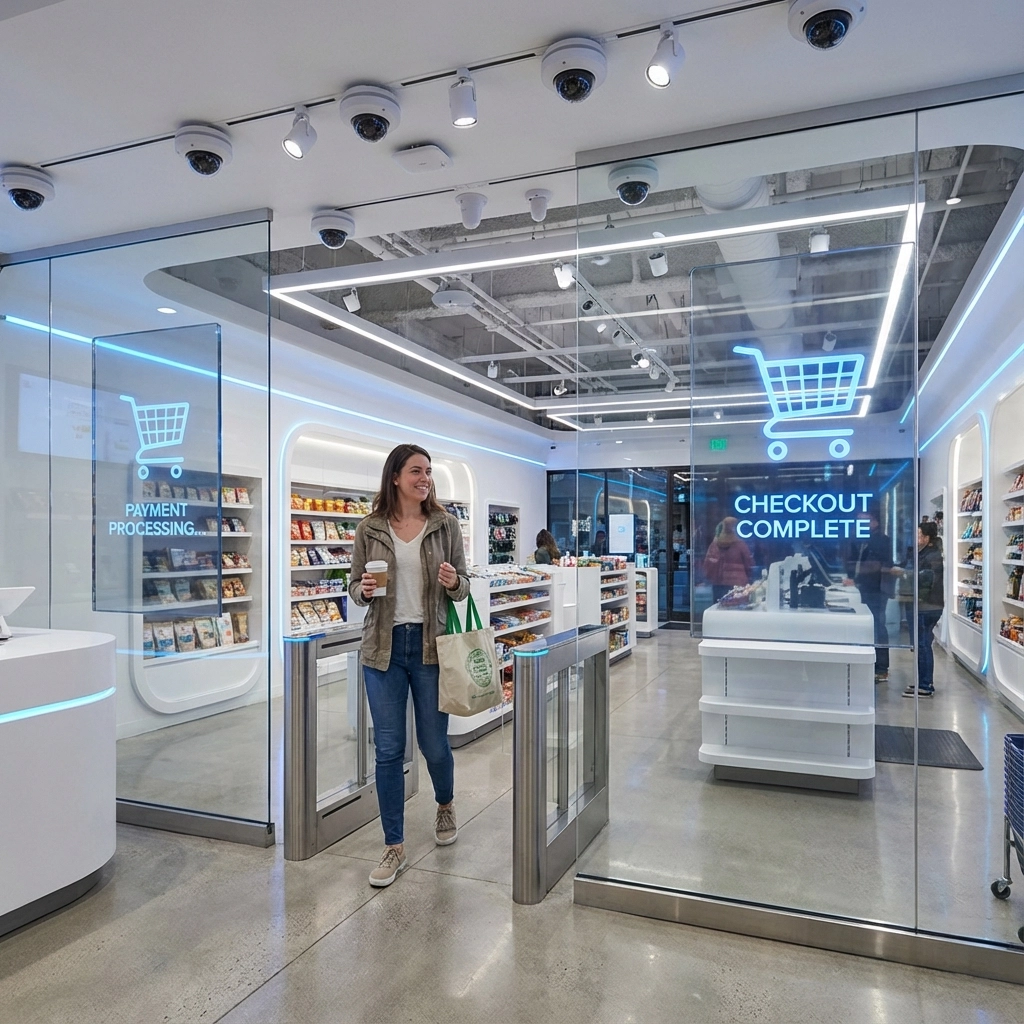
The future of biometric payments goes beyond simple fingerprint scanning. "Invisible payments" are already being tested where customers walk into a store, grab what they need, and walk out: with payments processing automatically in the background using facial recognition and connected payment accounts.
Palm scanning is gaining traction because it's contactless, highly accurate, and feels less invasive than facial recognition. Voice authentication is improving for phone orders and customer service interactions.
The trend is clear: payments are becoming more seamless, more secure, and more personalized. Businesses that understand and adopt these technologies early will have a competitive advantage.
Getting Started Without Getting Overwhelmed
You don't need to become a biometric expert overnight. Start by evaluating your current payment setup and customer needs. If you're processing high volumes of small transactions: like a coffee shop or quick-serve restaurant: biometric checkout can significantly speed up your lines.
For businesses with repeat customers, the convenience factor creates loyalty. Customers love walking in and paying with just their fingerprint or face scan.
Talk to your payment processor about biometric options that integrate with your existing setup. At CardPlus, we're seeing more businesses ask about these capabilities as the technology becomes mainstream.
Pilot test carefully. Start with a single location or during specific hours to work out any kinks before full deployment.
Budget for both hardware and training. The technology investment is just part of the cost: your team needs proper training to manage customer questions and troubleshoot issues.
The bottom line: biometric checkout isn't just a futuristic novelty anymore. It's becoming a practical tool for businesses that want faster transactions, better security, and happier customers. The key is implementing it thoughtfully, with privacy protection and customer comfort as top priorities.
Ready to explore how biometric payments could work in your business? The technology is here, the privacy protections are strong, and your customers are increasingly expecting these modern payment options.
Comments